标准化API服务(测试接口)
使用流程
使用流程
打开测试平台
你可以在AI平台中打开测试平台:
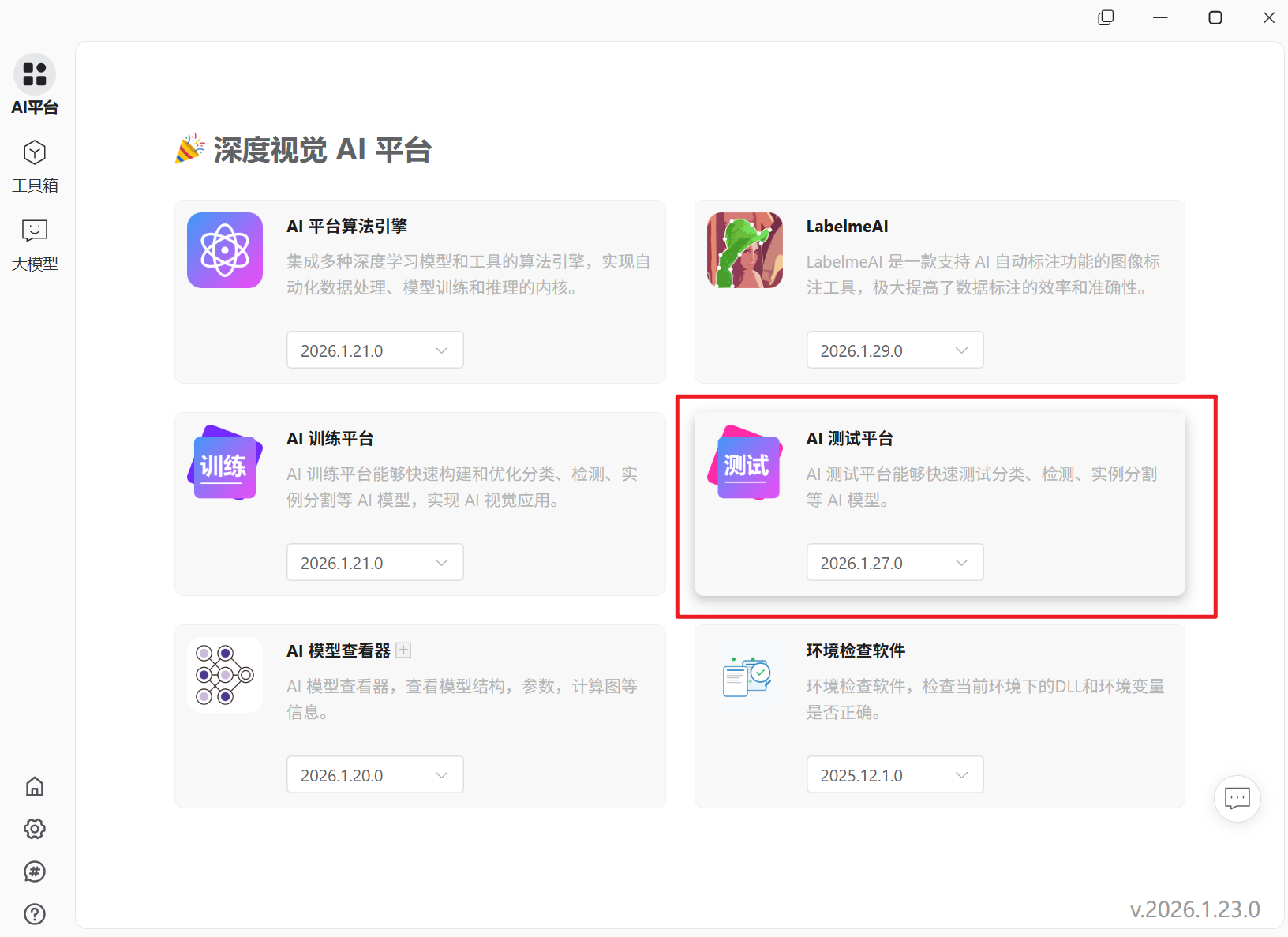
也可以用代码启动后端服务进程:
import subprocess
subprocess.run(["C:\dlcv\Lib\site-packages\dlcv_test\DLCV Test.exe", "--keep_alive"])
加载模型
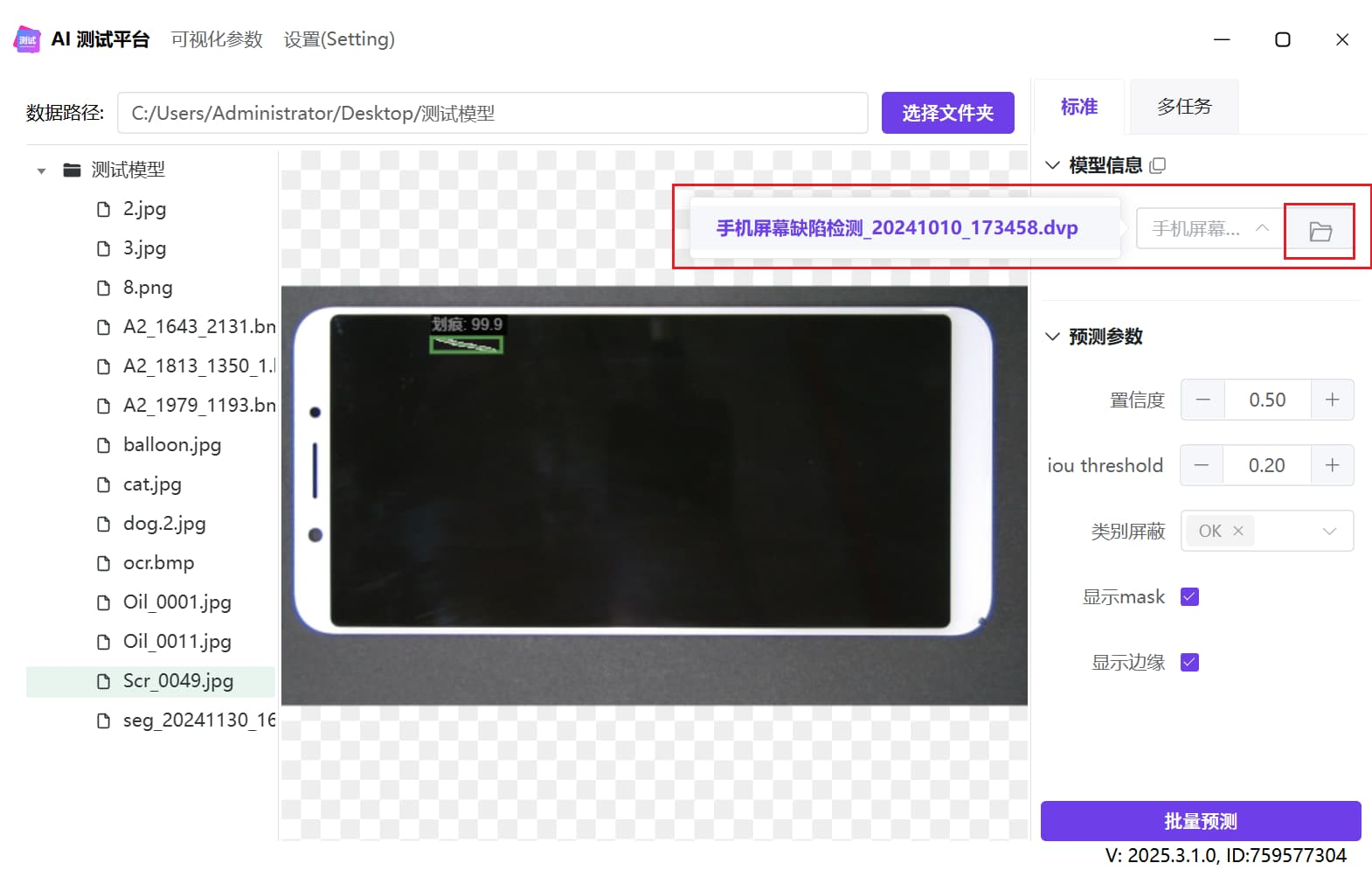
调用API
import base64
import json

import requests

session = requests.session()

url = 'http://127.0.0.1:9890/api/inference'

model_path = r"C:\Users\Administrator\Desktop\测试模型\手机屏幕缺陷检测_20241010_173458.dvp"
img_path = r"C:\Users\Administrator\Desktop\测试模型\Scr_0049.jpg"

print(f'推理图片:{img_path}')
with open(img_path, 'rb') as f:
    img_base64 = base64.b64encode(f.read()).decode()

data = {'model_path': model_path, 'img': img_base64}
response = session.post(url, json=data)
result = response.json()
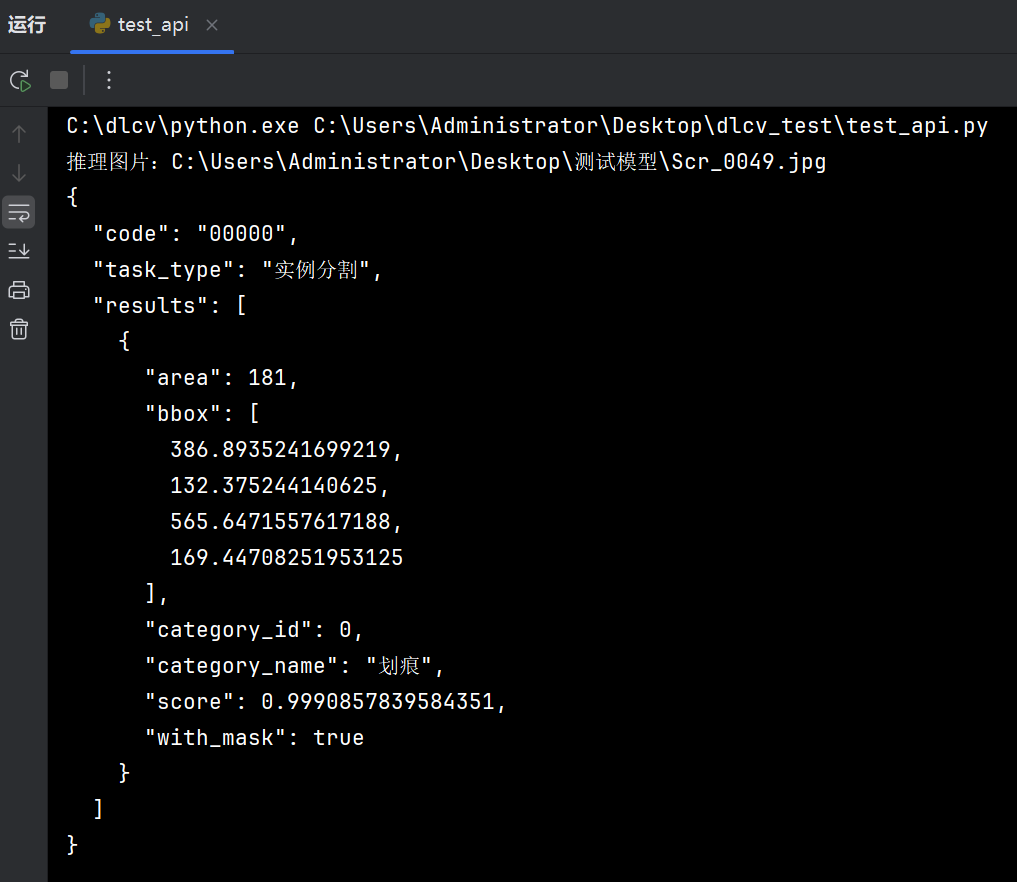
print(json.dumps(result, indent=2, ensure_ascii=False))
返回结果
{
  "code": "00000",
  "task_type": "实例分割",
  "results": [
    {
      "area": 181,
      "bbox": [
        386.8935241699219,
        132.375244140625,
        565.6471557617188,
        169.44708251953125
      ],
      "category_id": 0,
      "category_name": "划痕",
      "score": 0.9990857839584351,
      "with_mask": true
    }
  ]
}