C# 测试程序例程
本页说明 OpenIVS 中 DlcvDemo 工程的启动方式与主要代码。
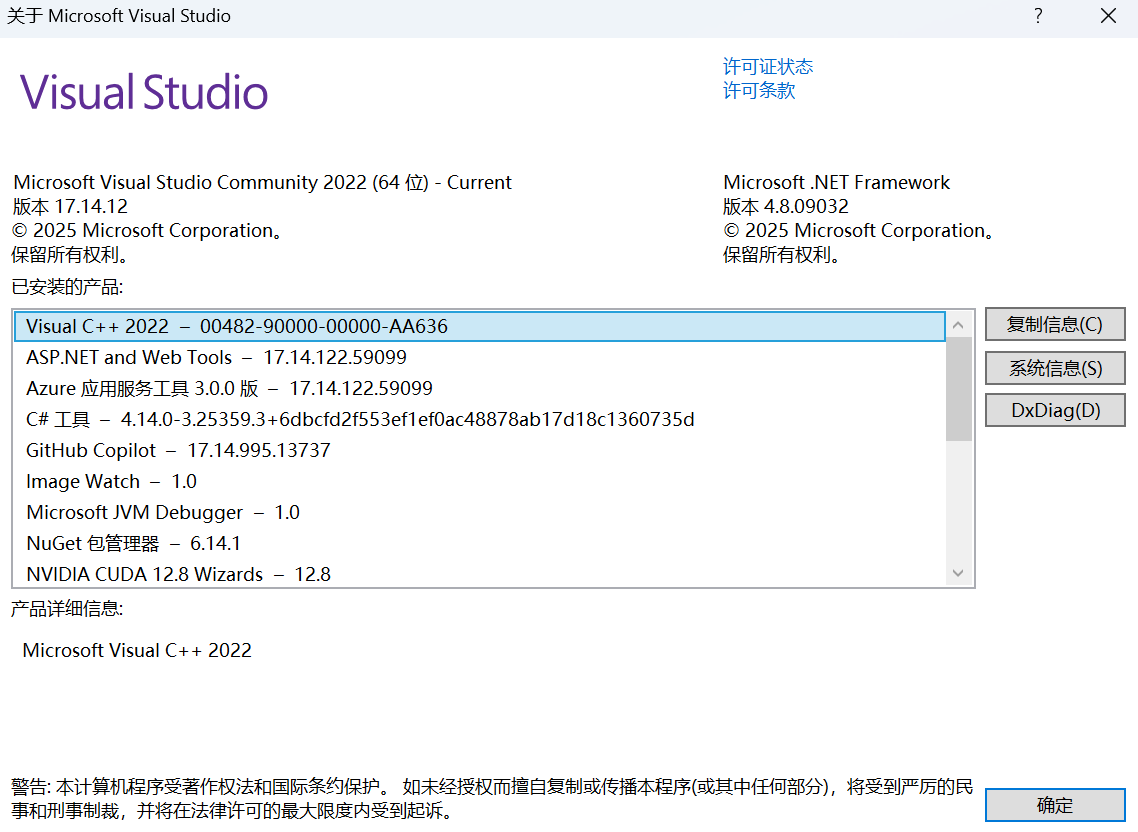
开发环境
- Visual Studio 2022 或更高版本
- .NET Framework 4.7.2 开发组件
- x64 构建环境
点击展开 Visual Studio 2022 版本信息
获取代码
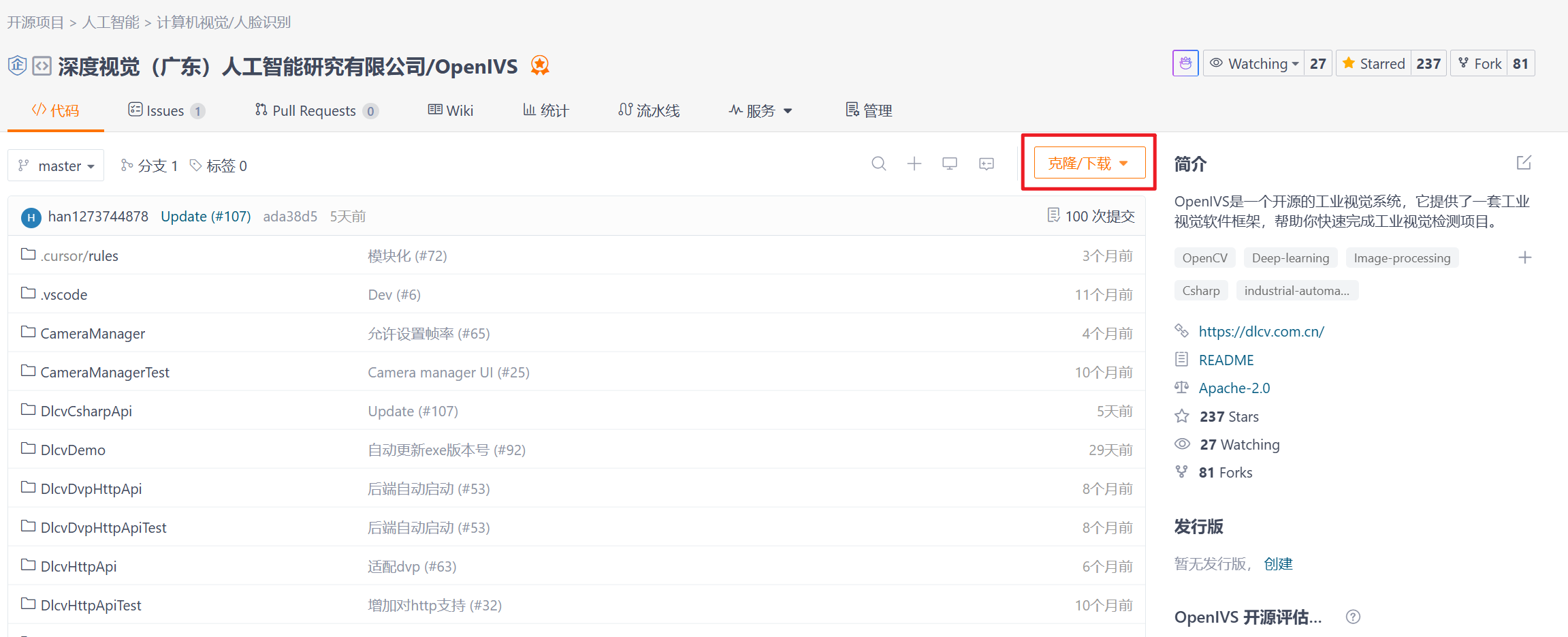
git clone https://github.com/dl-cv/OpenIVS
也可以在代码托管页面下载 ZIP:
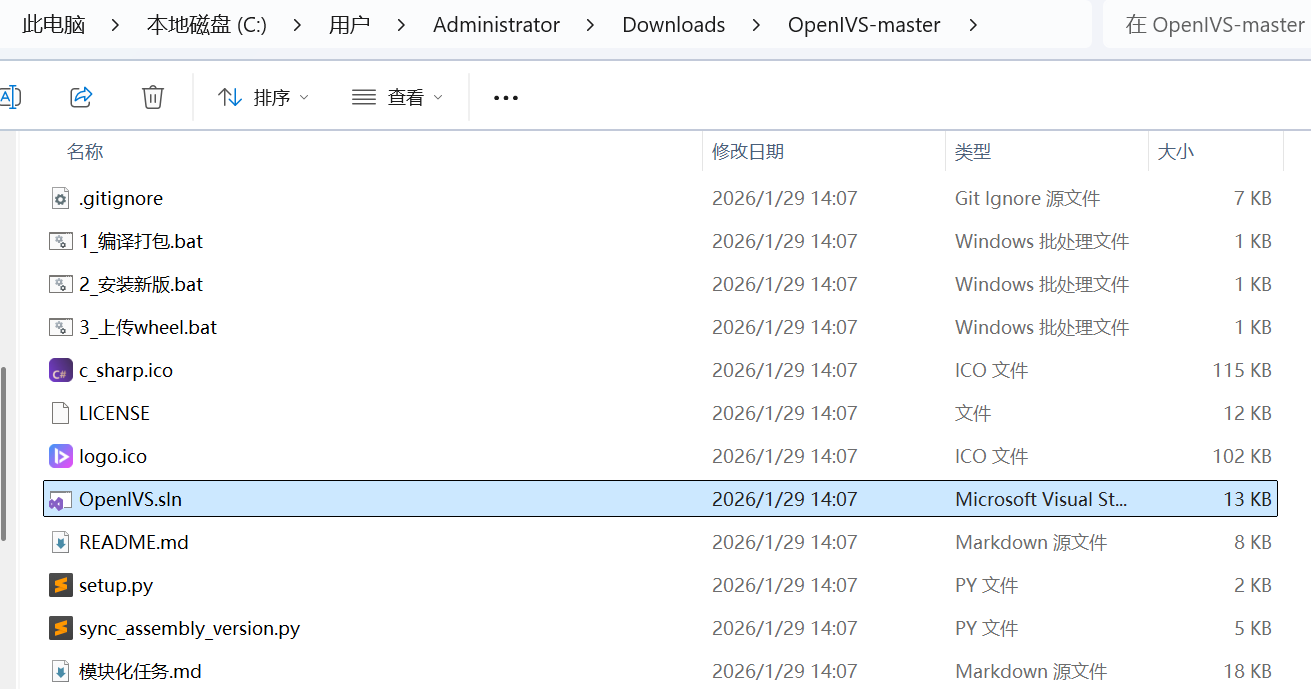
解压后打开 OpenIVS.sln:
启动工程
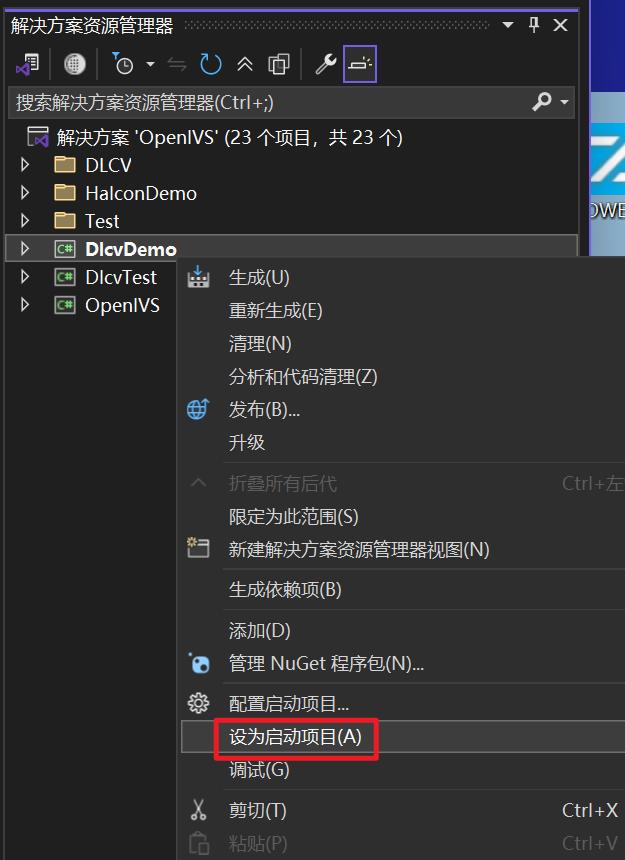
在 Visual Studio 中选择 x64 配置,将 DlcvDemo 设为启动项目,然后按 F5 编译并运行。工程输出 DlcvDemo.exe,构建过程同时复制为 C# 测试程序.exe。
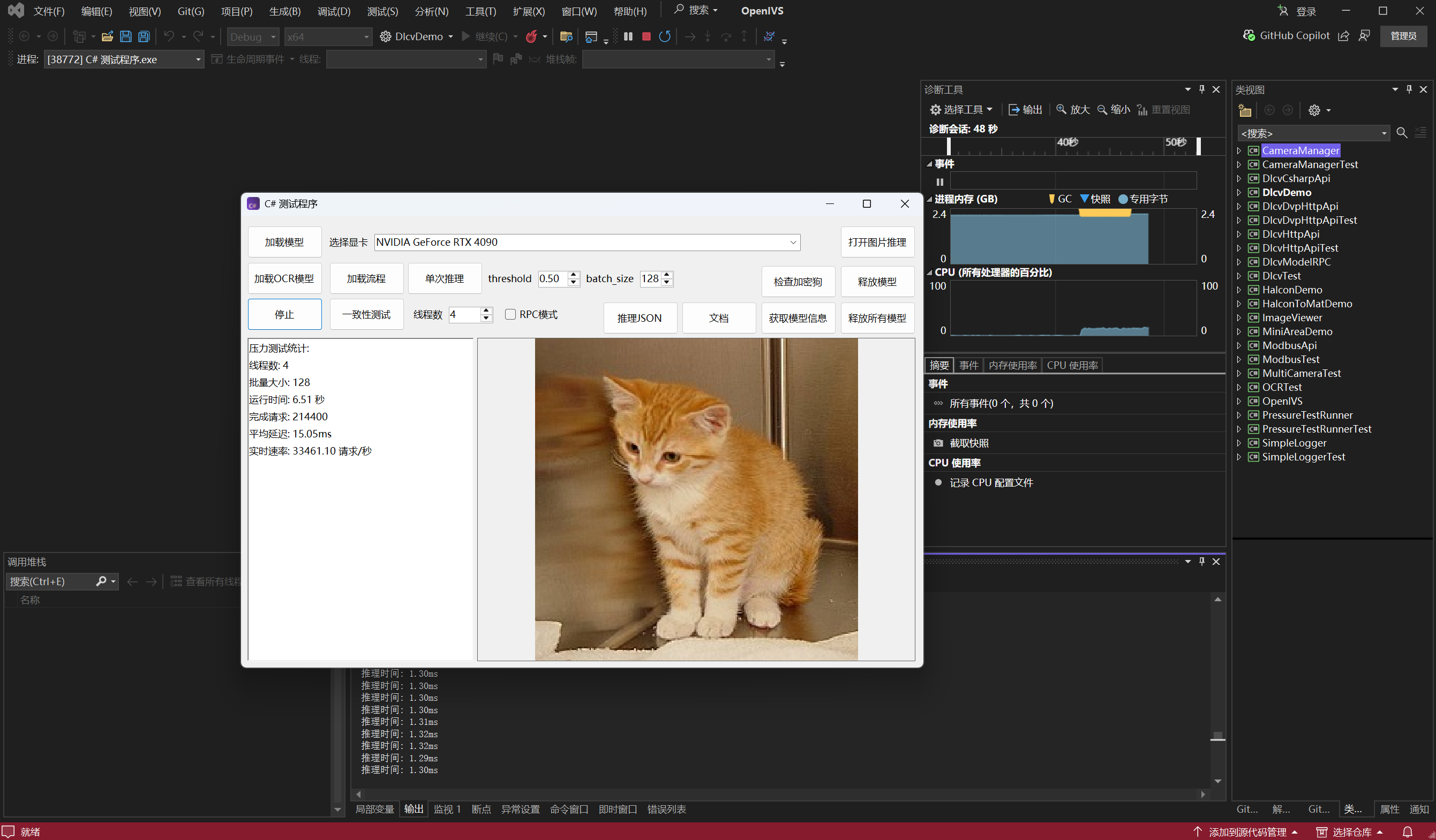
查看界面代码
当前窗口代码位于 DlcvDemo/MainWindow.cs,控件布局位于 DlcvDemo/MainWindow.Designer.cs。在设计器中双击按钮,可以跳转到对应的事件处理方法。
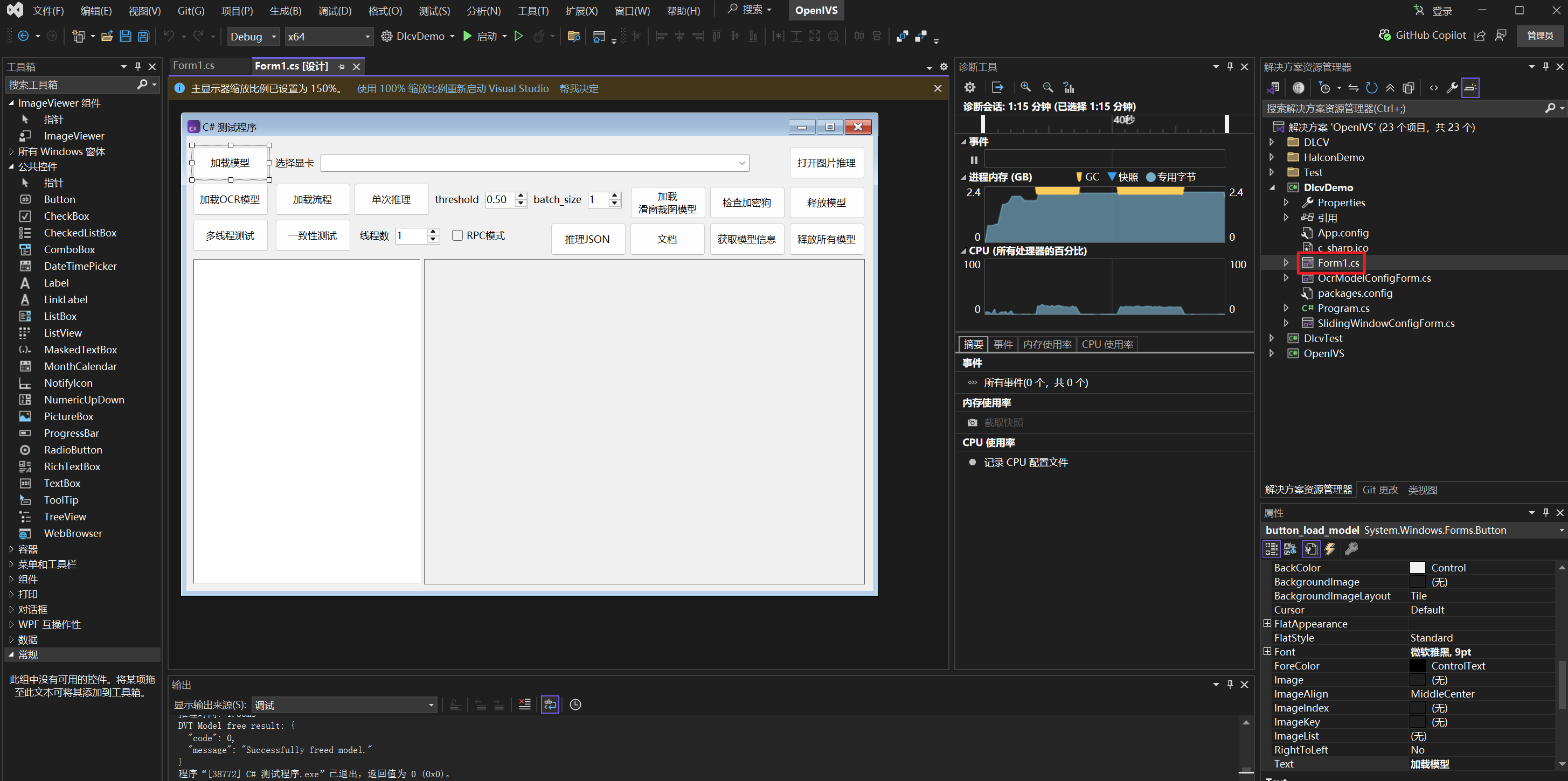
加载模型
“加载模型”按钮先打开文件选择框,再调用 LoadModelFromPath。当前程序接受 .dvt、.dvp、.dvo、.dvst、.dvso,并明确拒绝 .dvsp。
private void LoadModelFromPath(
    string selectedFilePath,
    int? deviceOverride,
    bool saveLastPath)
{
    string ext = Path.GetExtension(selectedFilePath) ?? "";
    if (ext.Equals(".dvsp", StringComparison.OrdinalIgnoreCase))
        throw new NotSupportedException("不支持 .dvsp 模型推理");

    isCurrentFlowModel =
        ext.Equals(".dvst", StringComparison.OrdinalIgnoreCase) ||
        ext.Equals(".dvso", StringComparison.OrdinalIgnoreCase);

    if (model != null)
        DisposeCurrentModel();

    bool rpcMode = checkBox_rpc_mode != null && checkBox_rpc_mode.Checked;
    model = new Model(
        selectedFilePath,
        deviceOverride ?? GetSelectedDeviceId(),
        rpcMode);

    model_path = selectedFilePath;
    button_getmodelinfo_Click(this, EventArgs.Empty);
}
重新加载前,程序通过 Dispose() 释放当前模型:
private void DisposeCurrentModel()
{
    try
    {
        var disposable = model as IDisposable;
        disposable?.Dispose();
    }
    catch (Exception ex)
    {
        Console.WriteLine("Dispose model failed: " + ex.Message);
    }
    finally
    {
        model = null;
    }
}
图像推理
“打开图片推理”选择图像后会直接调用单次推理。当前实现读取原始通道数,再将 BGR 或 BGRA 转换为 RGB;灰度图保持原通道。
Mat image = Cv2.ImRead(image_path, ImreadModes.Unchanged);
Mat inferImage = PrepareImageForModelInput(image);

var inferParams = new JObject
{
    ["threshold"] = (float)numericUpDown_threshold.Value,
    ["with_mask"] = true
};
AddCalcMeanOverride(inferParams);

int batchSize = (int)numericUpDown_batch_size.Value;
try
{
    var imageList = new List<Mat>();
    for (int i = 0; i < batchSize; i++)
    {
        imageList.Add(inferImage);
    }

    Utils.CSharpResult result = model.InferBatch(imageList, inferParams);
    imagePanel1.UpdateImageAndResult(image, result);
}
finally
{
    if (!ReferenceEquals(inferImage, image))
        inferImage.Dispose();
}
PrepareImageForModelInput 的通道处理:
private static Mat PrepareImageForModelInput(Mat image)
{
    if (image.Channels() == 3)
    {
        var rgb = new Mat();
        Cv2.CvtColor(image, rgb, ColorConversionCodes.BGR2RGB);
        return rgb;
    }

    if (image.Channels() == 4)
    {
        var rgb = new Mat();
        Cv2.CvtColor(image, rgb, ColorConversionCodes.BGRA2RGB);
        return rgb;
    }

    return image;
}
结果读取
结构化结果类型定义在 DlcvCsharpApi/DataTypes.cs:
Utils.CSharpResult.SampleResults对应批量图像列表。Utils.CSharpSampleResult.Results对应单张图像的对象列表。Utils.CSharpSampleResult.Ok、Reason保存流程模型的判定状态与原因。Utils.CSharpObjectResult保存类别、分数、检测框、mask、角度、均值和扩展信息。
完整字段说明参见 高性能 SDK 套件 - C# 接口。